The 5-second expense tracker. Free. No ads. No bank linking. Money in, money out. Works offline. For individuals & couples.
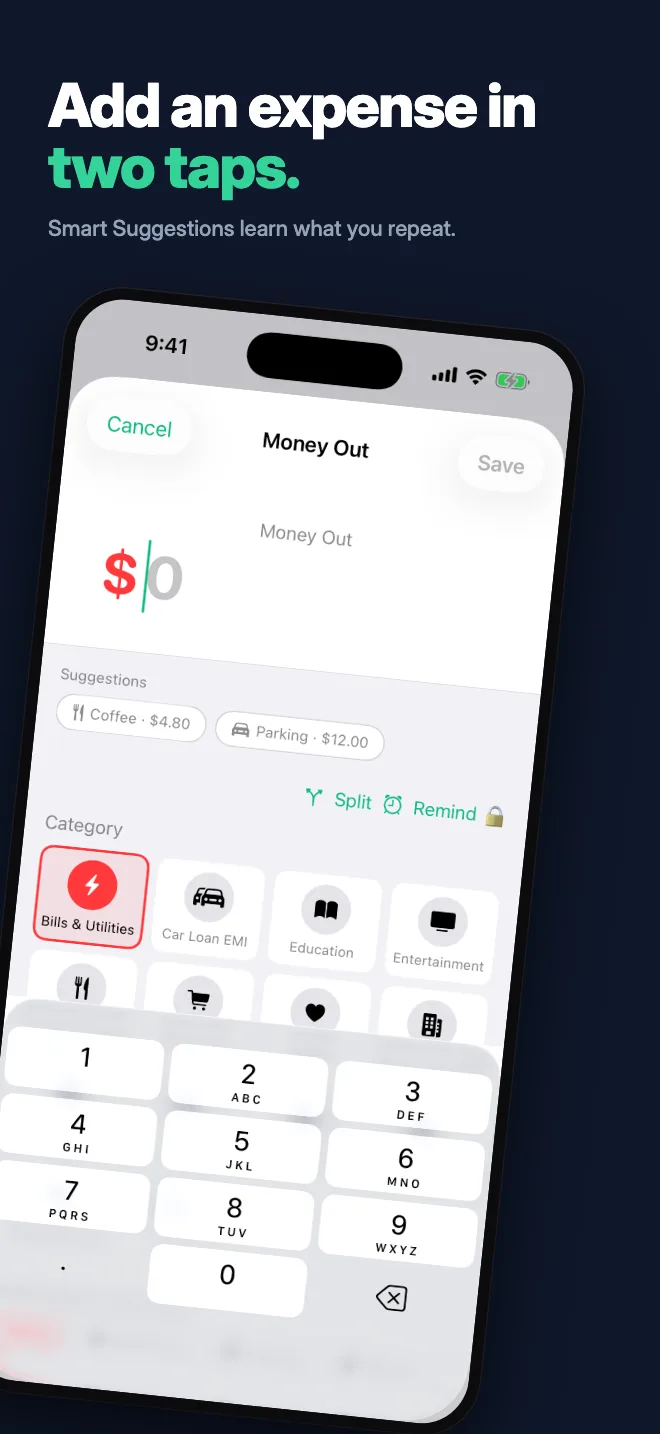
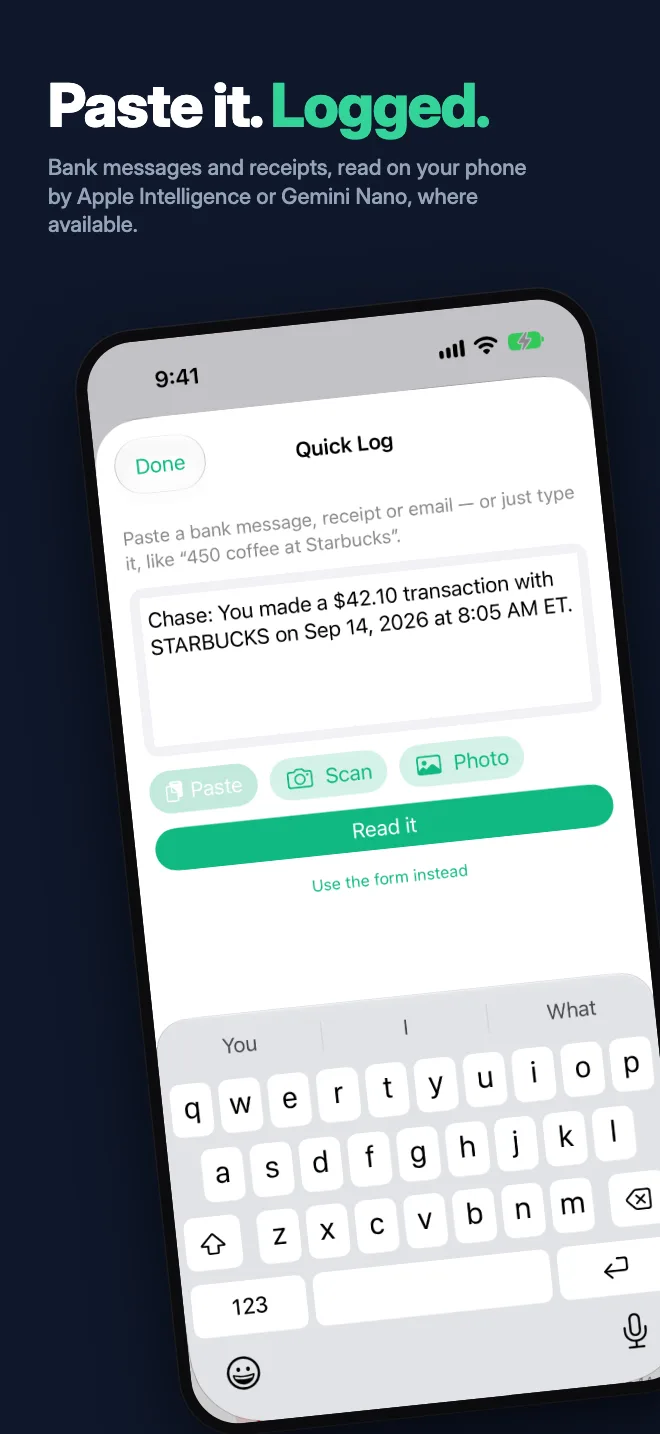
Log a spend in two taps and finally see where your money goes. Semi-automated logging: on iPhone, Apple Pay taps and bank texts log themselves; on Android, your bank app's notifications do. Share a bank message or receipt and Capture reads it on your phone. No bank linking, and every entry stays yours to check. New in v2.17: daily rings and Invite friends.
🏆 Ranked #1 by GeekChamp, #2 by Redsider → See all features →✓ iPhone, iPad & Mac ✓ Android & Chromebook ✓ Works offline ✓ Zero ads ✓ 100% private
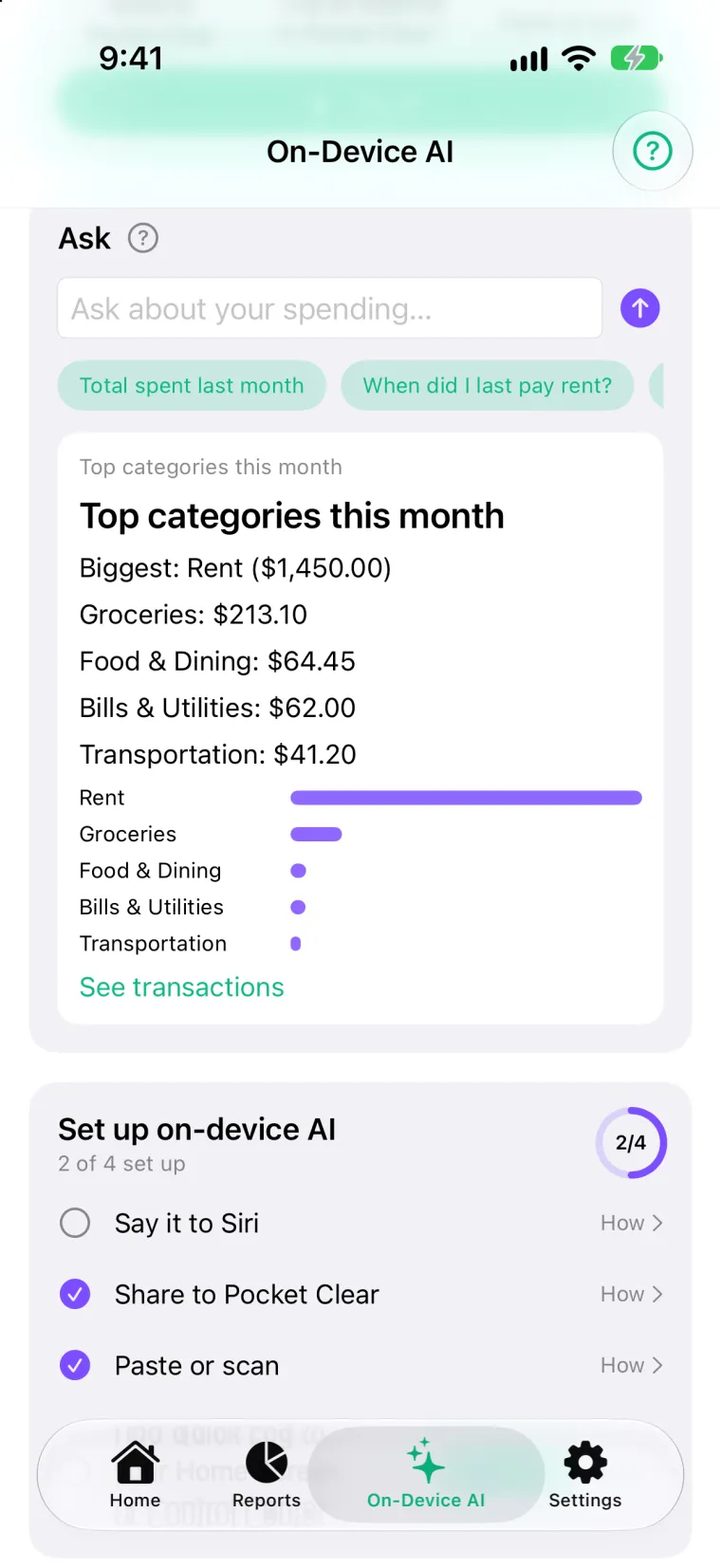
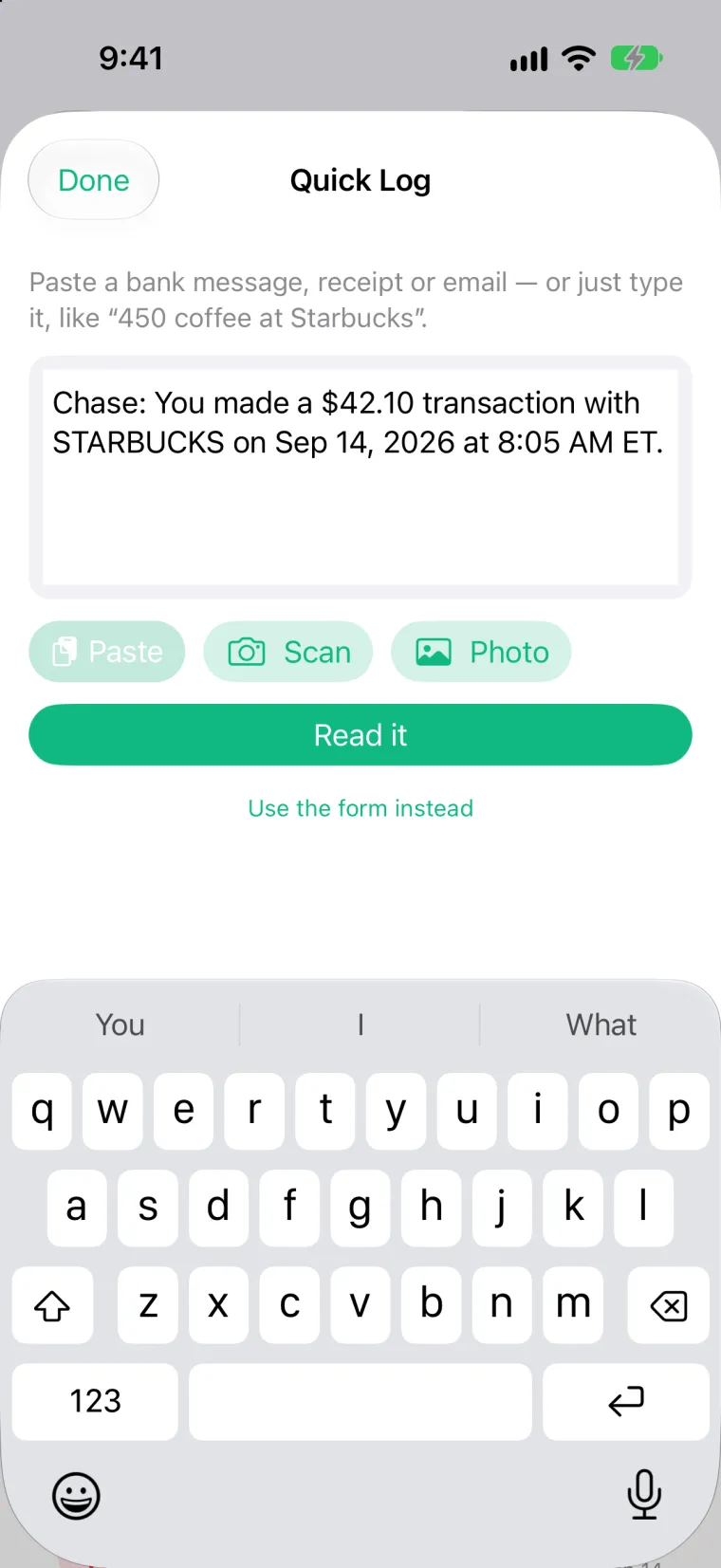
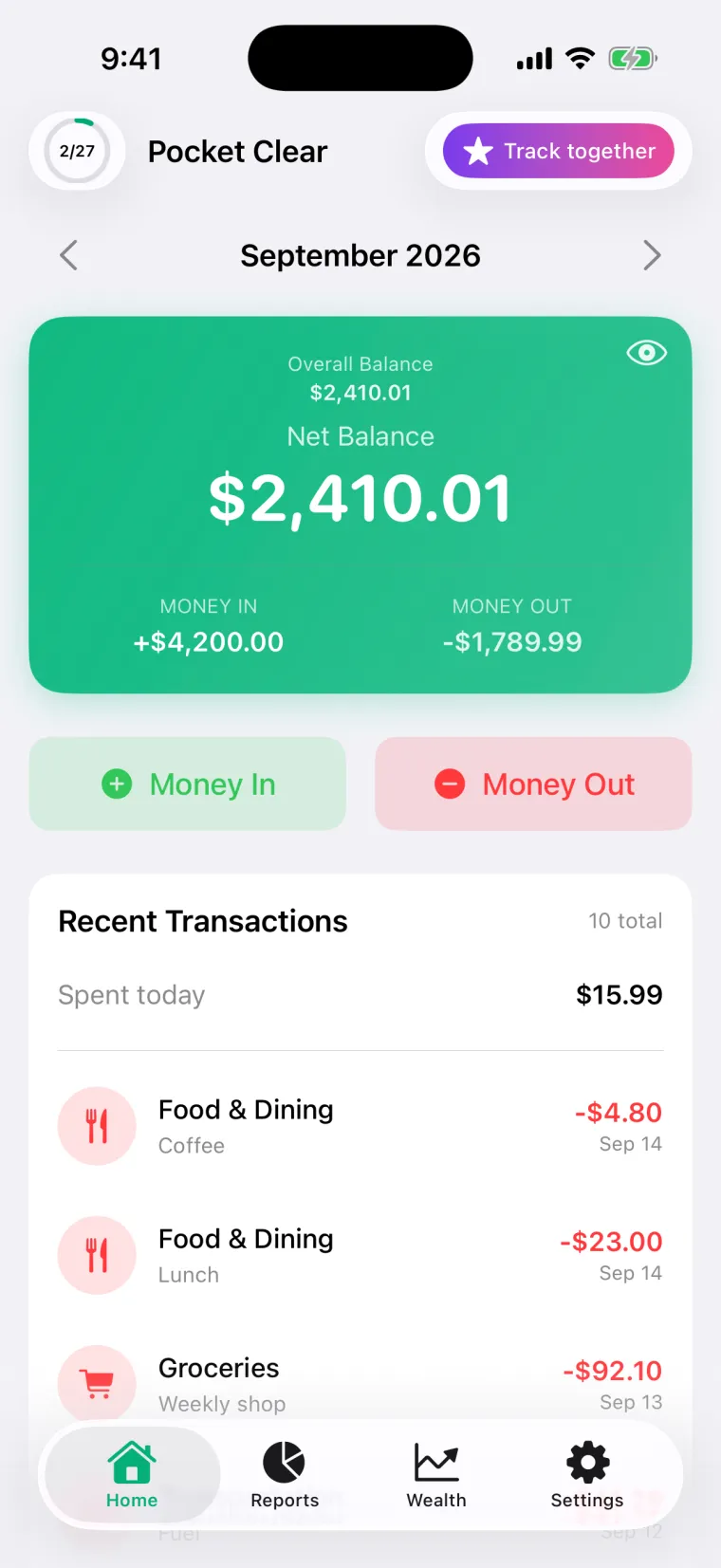
Less typing. Still no bank linking.
On iPhone, Apple Pay taps and bank texts log themselves. On both iPhone and Android: Pro Insights, catch-up week, Road to 50 and a daily reminder that only nudges on days you haven't logged. See everything in v2.14 →


Most expense apps are overwhelming.
They connect to your bank. They auto-categorize (badly). They have 50 features you'll never use.
And they constantly push you to upgrade.
You just want to know where your money goes.
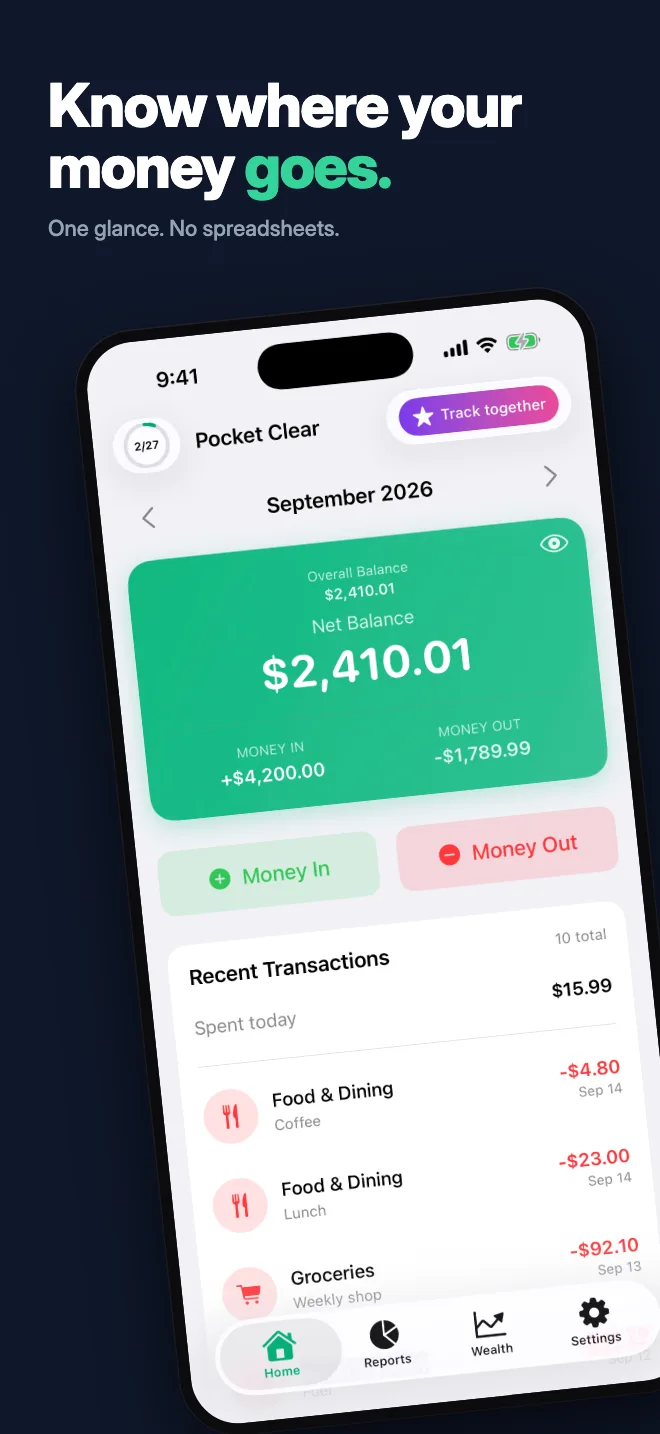
Money In. Money Out. That's it.
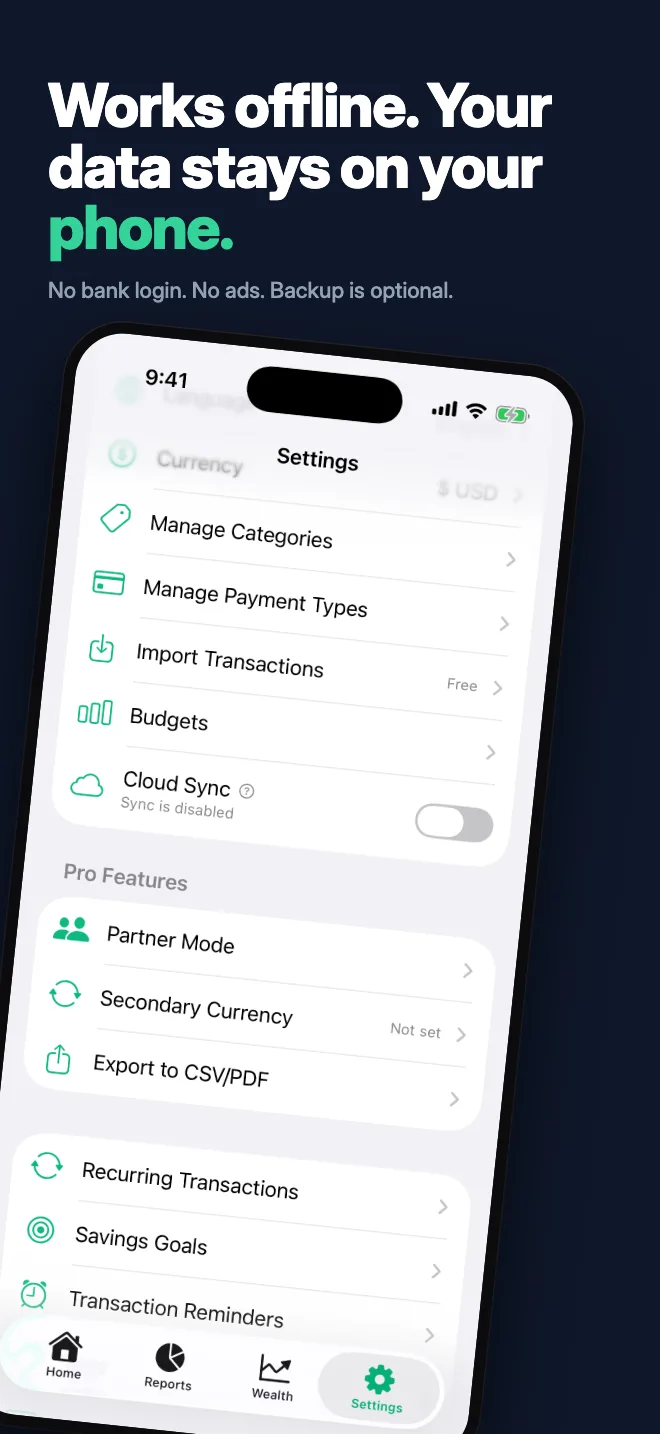
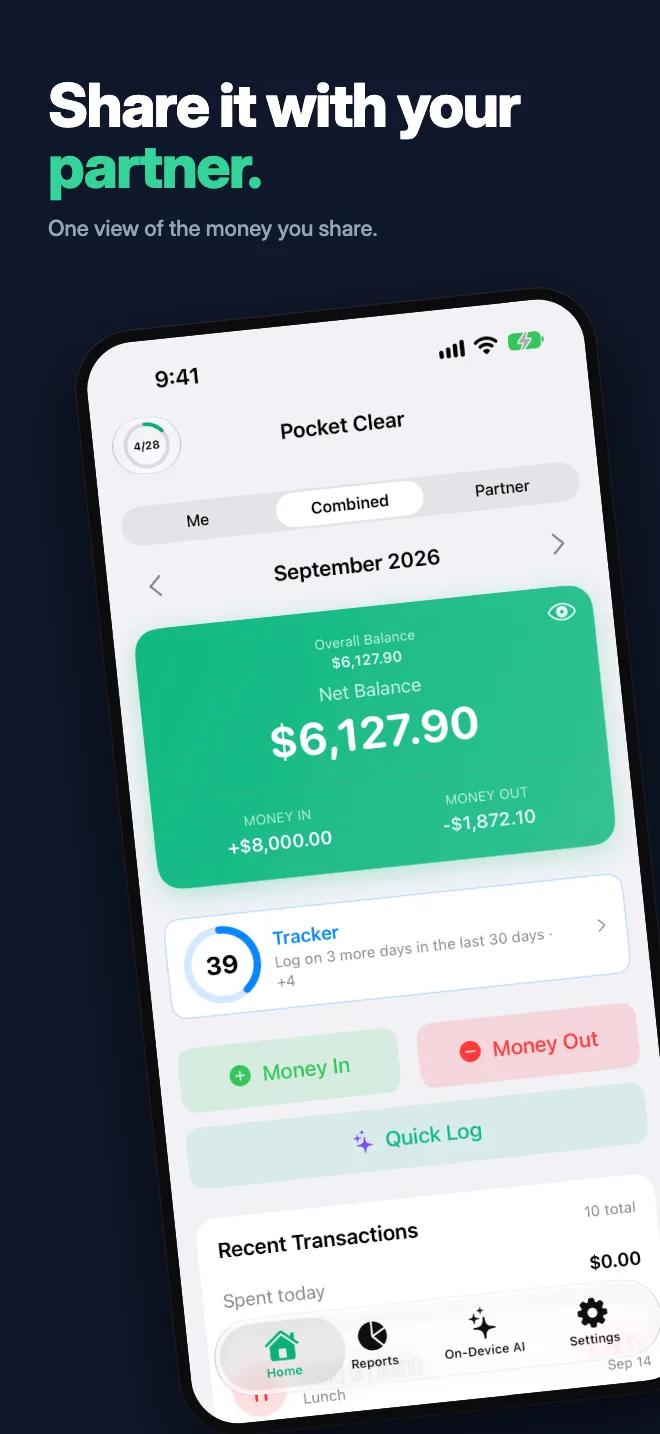
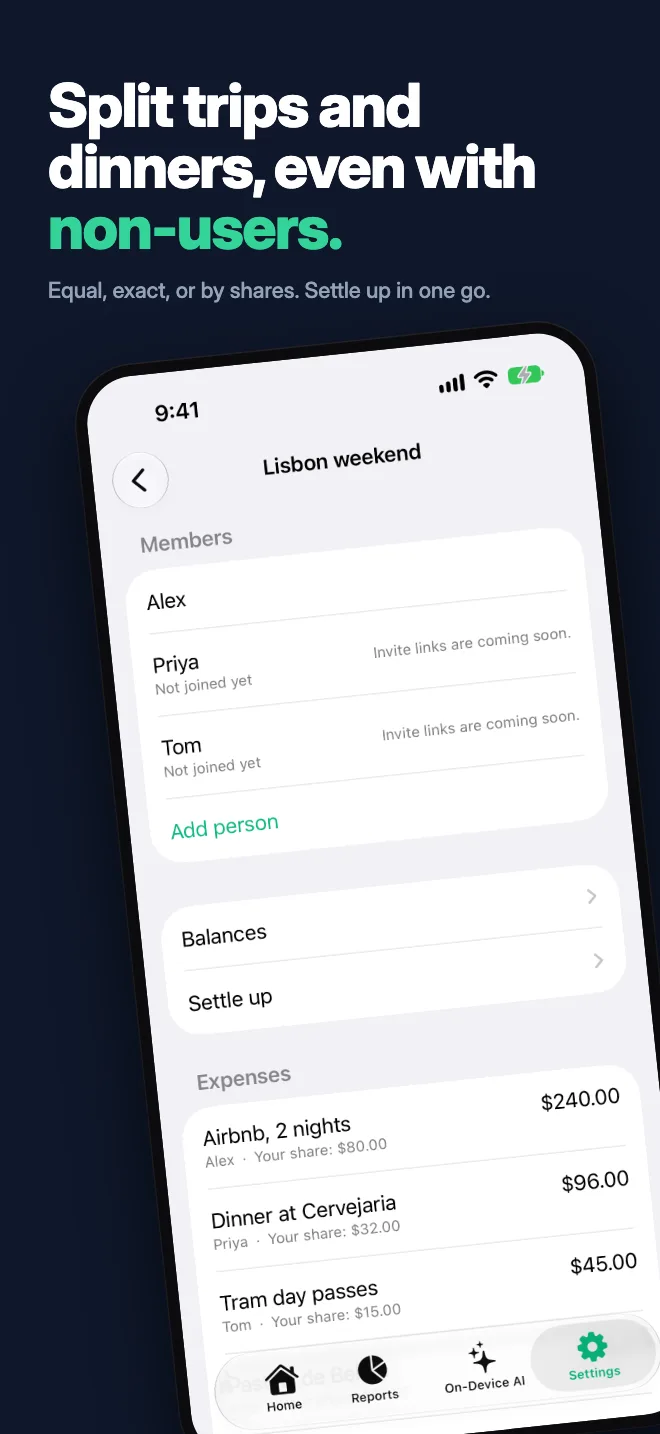
Pocket Clear strips expense tracking down to the essentials. Two buttons. Simple categories. Beautiful reports. Works completely offline.
Loved by Users Worldwide
★★★★★ 4.9 on App Store · 4.7 on Google Play (1,200+ ratings)
"Privacy-Focused Budget App"
I love how privacy-focused this app is! I also love how the free version really works; I'm still on the free version and have tracked three months so far. I also appreciate that Aravind (the founder) reaches out regularly and incorporates feedback into upcoming updates. Overall a very pleasant experience!
"It’s rare to find an app that respects your time and privacy this well"
Most expense apps overcomplicate things with bloated dashboards and intrusive ads. Pocket Clear does the opposite: it gives you a clean slate, instant entry, and clear insights into your cash flow. After five months of consistent daily use, it has completely streamlined how I track my spending. It’s rare to find an app that respects your time and privacy this well. Easily a 5-star essential on my home screen.
"Favorite budgeting app!!!"
I am so hype about this app! I don't usually find budgeting fun but this app is so easy to use, is incredibly customizable, and I enjoy getting a visual of where my money is going. I also really appreciate the developer's responsiveness and the recent update with the addition of a refund feature. It's so much easier to accurately track my spending.
"Even tried building some myself — nothing has matched this app"
An incredibly simple yet detailed app. I never review apps but I really enjoyed using it. I’ve been looking for a tracker app for a while and even tried building some myself but nothing has really matched this app. It’s really simple to use and your overview is also easily trackable. It’s highly customizable and the team is consistently putting out new features which I appreciate. Highly recommend.
"It has made managing our money so much easier"
I've been using Pocket Clear recently, and honestly, it has made managing our money so much easier. I used to rely on Excel to keep track of expenses and cash, which was sometimes difficult to maintain. My husband receives some of his income in cash, so being able to quickly record it and keep track of where the money goes is really helpful. I also like that the app is simple and doesn't feel complicated or overwhelming. It has become something I actually use regularly.
"Best customer service I have experienced in a long time"
Customer service directly from the app owner is second to none - best customer service I have experienced in a long time. The app itself is excellent, and getting even better every update. This was one of 4 expense tracker apps i trialled and settled on this one due to its ease of use, simple design, and based on data privacy.
Everything You Need. Nothing You Don't.
5-Second Entry
Add a transaction in two taps. Amount, category, done. No friction, no forms. Cash, card, UPI — track every way you pay.
Capture
Share a bank message, receipt or email — or paste it — and it becomes an expense in one tap. Read on your phone by on-device AI; nothing about the message is uploaded. An opt-in Beta, off until you turn it on. Free for everyone until 31 December 2026, then part of Pro. On iPhone, a one-time Shortcuts automation logs Apple Pay taps and bank texts by themselves. See how it works →
Zero Ads. Ever.
No banner ads. No video ads. No sponsored content. Just a clean, distraction-free experience.
Works Offline
All data stored locally. No internet required. Fast and always available.
Custom Categories
Use our defaults or create your own. Organize spending your way.
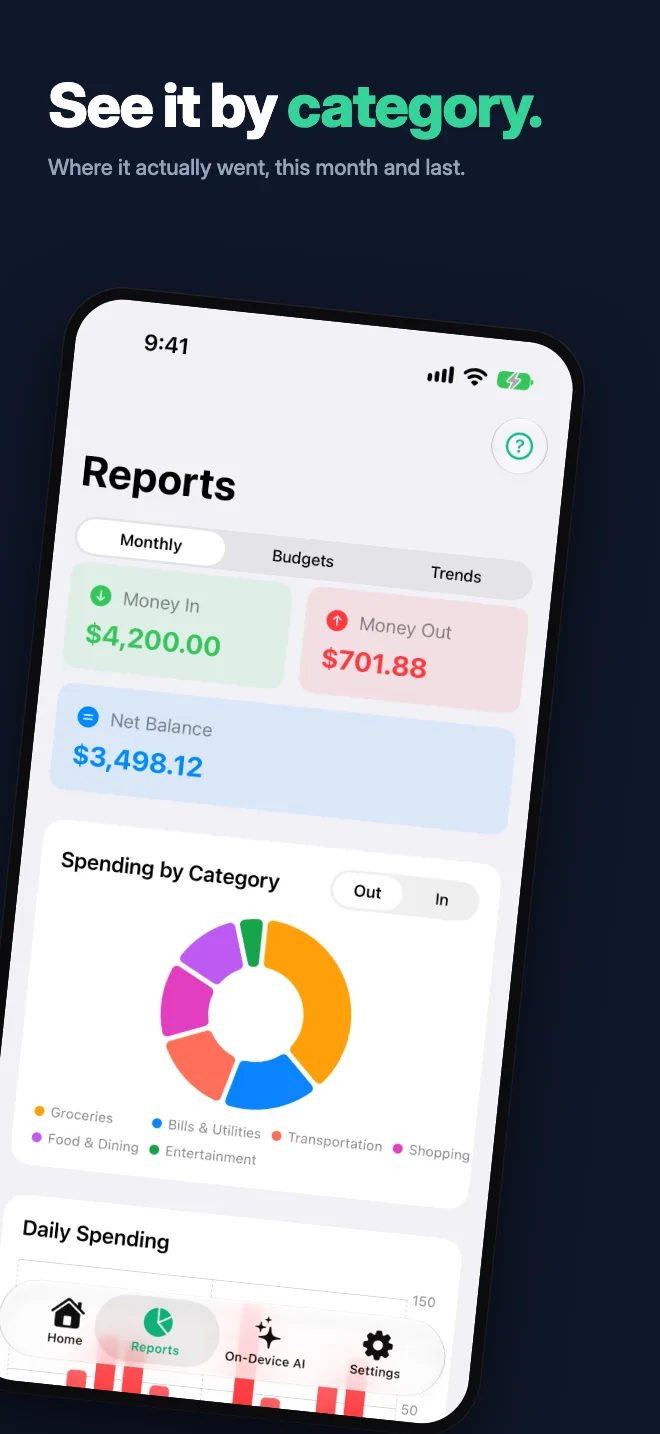
Visual Reports
Beautiful charts showing where your money goes. Monthly trends at a glance.
Dark & Light Themes
Matches your system preference. Easy on the eyes, day or night.
Privacy First
Your data stays on your device, behind your phone's own storage protection. Never sold.
No AI Training
Your financial data is never used to train AI models. We don't analyze or monetize your data.
12 Languages
English, Spanish, French, Portuguese, Hindi, German, Filipino, Italian, Russian, Arabic (right-to-left), Japanese and Korean — pick yours at onboarding or in Settings.
CSV & Excel Import
Bring in transactions from bank exports, spreadsheets, or another app. Preview every row, swipe to remove what you don't want.
Tags & Reminders
Tag transactions with "business", "travel", or anything else. Set push reminders so you never forget to log an expense. (Pro)
❌ Other Apps
- Complex financial terms
- Bank connection required
- Constant upgrade prompts
- Slow cloud syncing
✅ Pocket Clear
- Simple: Money In / Out
- No bank connection needed
- Free forever tier
- Instant offline access
Private budgeting with on-device AI.
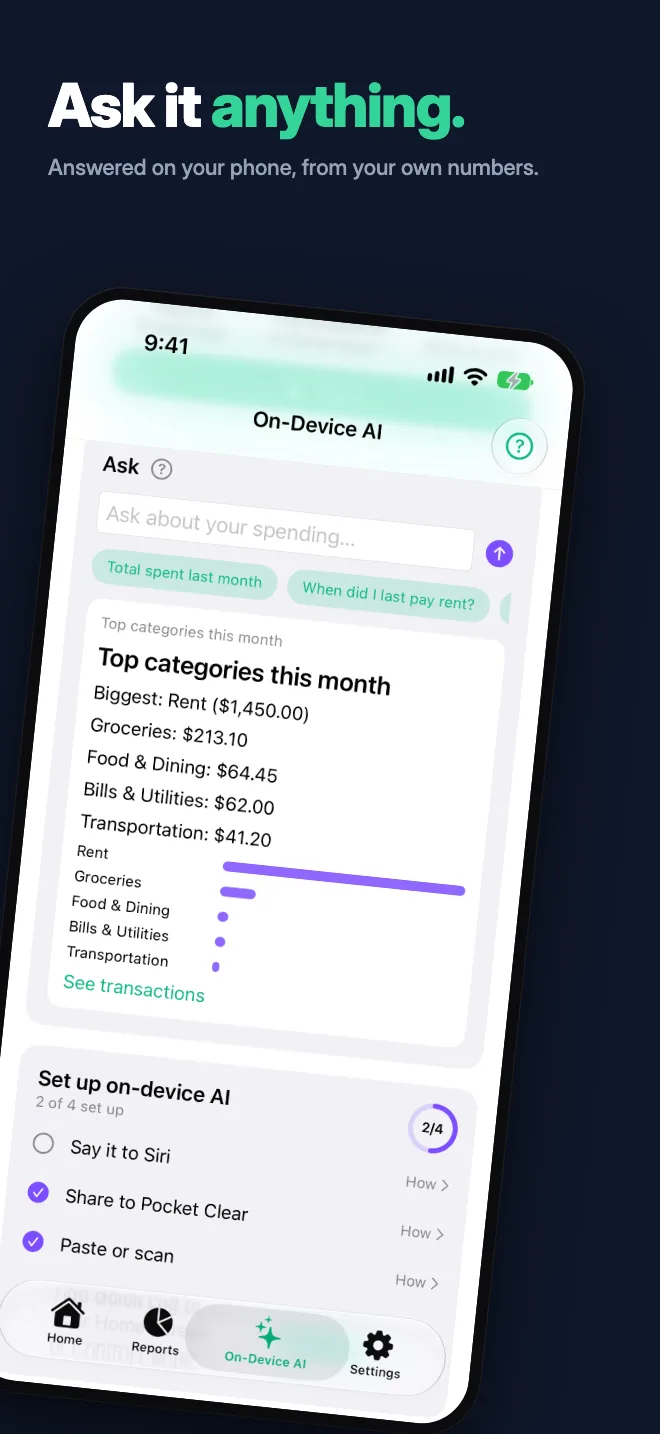
Capture expenses from bank messages, receipts and — on iPhone — your voice, ask your spending anything — all read on your phone by Apple Intelligence or Gemini Nano. Nothing is uploaded, no bank linking.


- It runs on the device. On iPhone, Apple Foundation Models on iPhone 15 Pro and newer; on Android, Gemini Nano where it is available. Everywhere else, Pocket Clear's own rules parser reads bank messages and card alerts. Ways in on both: the share sheet, paste and the camera. iPhone only: a Siri phrase, Shortcuts, Control Center and the Visual Intelligence result row — Android has no voice entry point.
- Semi-automated on iPhone and Android. On iPhone, set up a Shortcuts automation once and each Apple Pay tap, or each debit text from your bank, is logged in the background. On Android, pick your bank apps and each payment notification they show is logged, read on your phone. You can edit or undo any of them from Recent captures. Pocket Clear only sees what your automation or your chosen apps pass it. iPhone setup → Android setup →
- Nothing about the message, receipt or question is uploaded. The parsing happens on your phone, and no AI provider is called. Only the expense you confirm is saved — and it leaves the phone only if you have Cloud Sync switched on, the same as any other transaction.
- Opt-in, Beta, off by default. A Pro feature that is free for everyone until 31 December 2026. Turning the switch off puts the app back exactly as it was.
Simple Pricing. No Surprises.
Free
Forever free
- ✓ Unlimited transactions
- ✓ Smart Suggestions (on-device)
- ✓ Custom categories & reorder
- ✓ Visual reports & charts
- ✓ CSV & Excel import
- ✓ Setup guide checklist
- ✓ Daily reminder & catch-up week
- ✓ Road to 50 rewards & Invite friends
- ✓ Power Score daily rings
- ✓ 12 languages
- ✓ Dark & light themes
- ✓ Complete offline support
- ✓ Local-only storage — nothing uploaded
Pro
or $34.99/year — save 42%
For peace of mind
- ✓ Everything in Free
- ✓ Cloud backup & sync
- ✓ Access on multiple devices
- ✓ Partner Mode for couples
- ✓ Tags & transaction reminders
- ✓ Recurring transactions, with fill-in for past months
- ✓ Savings Goals, synced and funded from a payment method
- ✓ Secondary currency display
- ✓ Travel Mode for trips abroad
- ✓ Export to CSV/PDF
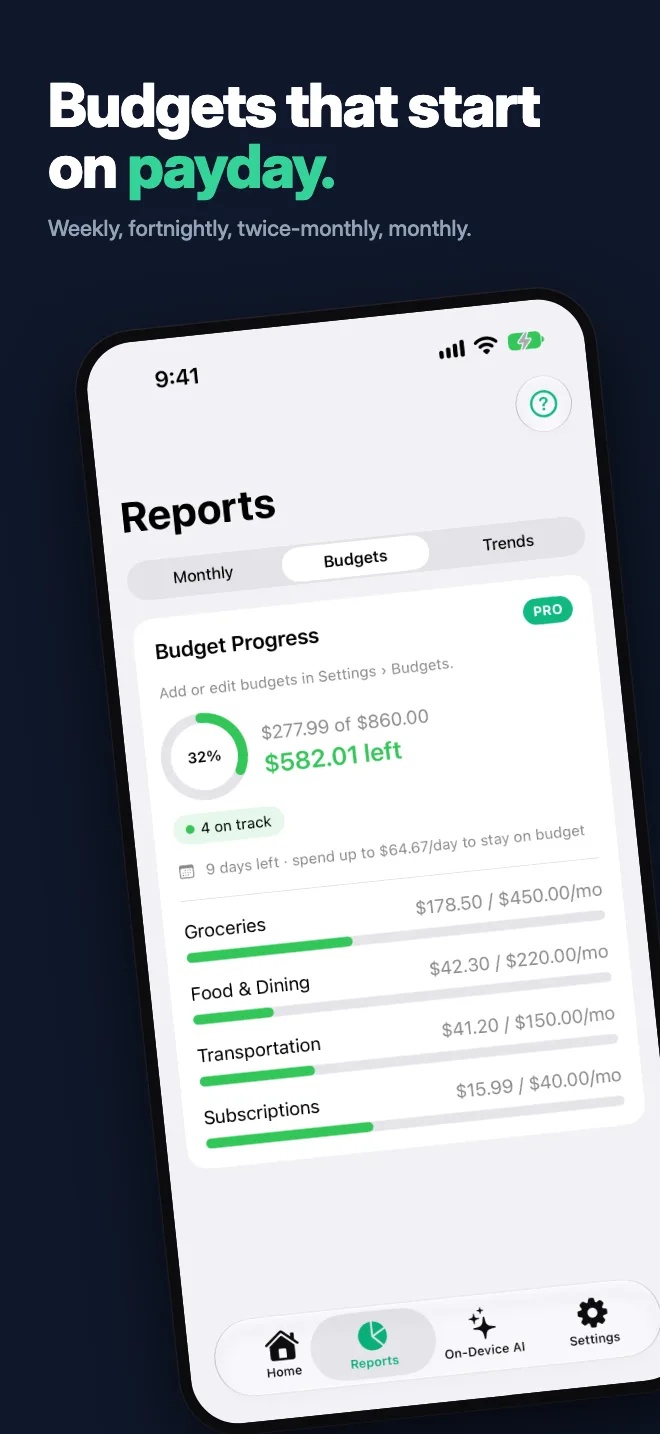
- ✓ Per-category budgets & alerts
- ✓ Monthly, semi-monthly, weekly, biweekly & yearly budgets
- ✓ A different budget amount for each month
- ✓ Budget rollover
- ✓ Pro Insights: what's creeping up this month
Your Money. Your Data. Your Privacy.
Encrypted Cloud Sync
Turn sync on and the copy in Pocket Clear's cloud is encrypted at rest with AES-256-GCM. Keep it off and nothing is uploaded at all.
Zero Ads Forever
We'll never show ads. No banners, no videos, no sponsored content.
No AI Training
Your financial data is never used for analytics, AI training, or sold to third parties.
Local First
Data stays on your device by default. Cloud sync is optional (Pro only). Capture's on-device AI reads bank messages and receipts on your phone — nothing is sent to us or to any AI provider.
Our Privacy Promise
We believe your financial data is deeply personal. That's why we've built Pocket Clear to be privacy-first from day one. No ad trackers, no data selling, no data harvesting. Just a simple tool that respects you.
Why Privacy Matters in Finance
Ready to simplify your finances?
Available on iPhone, iPad, Mac, Android & Chromebook. Start tracking in under a minute.
Free forever. Pro for $4.99/month or $34.99/year.
Frequently Asked Questions
What is Pocket Clear?
Pocket Clear is a simple expense tracking app for iOS and Android. It lets you track your money in (income) and money out (expenses) with just two taps. No complex features, no bank connections, just straightforward expense tracking.
Is Pocket Clear free?
Yes! Pocket Clear is free to use with unlimited expense tracking, custom categories, and visual reports. The Pro plan ($4.99/month, or $34.99/year — about 42% less) adds cloud backup, cross-device sync, Partner Mode for couples, and per-category budgets.
Does Pocket Clear have ads?
No — zero ads, forever. No banner ads, no video ads, no sponsored content. We believe your expense tracker should be distraction-free. We generate revenue only from Pro subscriptions.
Does Pocket Clear work offline?
Yes, Pocket Clear is designed to work completely offline. All your data is stored locally on your device by default. Pro users can optionally enable cloud sync for backup and cross-device access.
Is my financial data private?
Absolutely. On the free plan your data stays on your device and is never uploaded; with Pro cloud sync on, it travels over TLS 1.3 and is stored encrypted at rest with AES-256-GCM. We never use your data for analytics, AI training, or sell it to third parties. Your financial data belongs only to you.
Do I need to connect my bank account?
No — Pocket Clear never asks for bank access. You add transactions yourself in two taps, share a bank message or receipt for Capture to read on your phone, or, on iPhone, let a Shortcuts automation log Apple Pay taps and bank texts. Either way you stay in control, nothing is pulled from your bank, and it works anywhere, with or without internet.
What currencies does Pocket Clear support?
Pocket Clear supports 135 currencies including USD, EUR, GBP, JPY, INR, AUD, CAD, SGD, and many more. Pro users can also display a secondary currency alongside their primary one — perfect for expats and frequent travelers.
Is my data used for AI training?
Never. Your financial data is never used for AI training, machine learning, analytics, or any form of data mining. Your data belongs to you alone — we have no way to access it even if we wanted to.
Does Pocket Clear work with UPI?
Yes — log UPI payments in a tap, or auto-log your bank's UPI debit texts: on iPhone with a Shortcuts automation, on Android from your Messages app's notifications. No bank linking.